Tips for Creating a Productive Home Office Environment
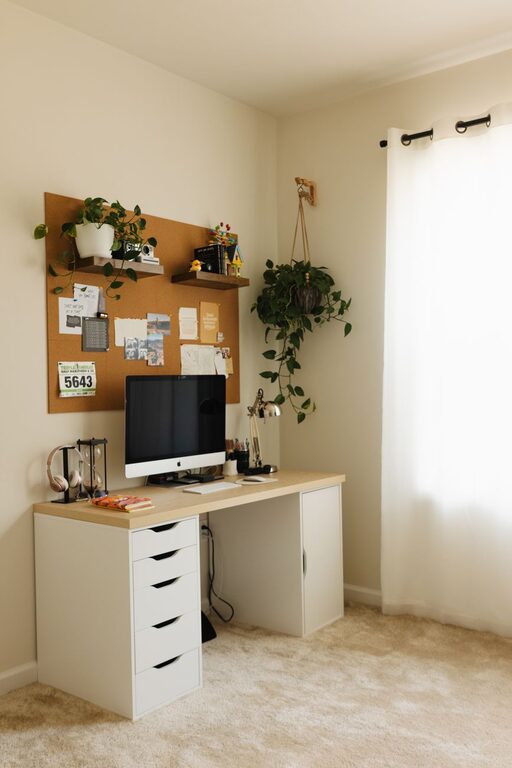
Creating a productive home office environment is essential for anyone working remotely or managing tasks from home. A well-organized and comfortable workspace can improve focus, reduce stress, and increase overall efficiency. Whether you’re setting up a new home office or looking to enhance your current space, these tips will help you create an environment that supports your best work.
Choose the Right Location
Finding the perfect spot for your home office is the first step towards productivity. Ideally, select a quiet area with minimal distractions. If possible, pick a separate room where you can close the door and focus without interruptions. If space is limited, a dedicated corner with clear boundaries between work and personal life can also be effective.
Consider Natural Light
Natural light has a positive effect on mood and alertness. Position your desk near a window to benefit from daylight, but avoid glare on your computer screen by using blinds or curtains. If natural light is not available, invest in good quality artificial lighting that mimics daylight to keep your workspace bright and inviting.
Invest in Ergonomic Furniture
Comfort is key to sustaining productivity throughout the day. An ergonomic chair and desk help prevent fatigue and physical discomfort.
– Chair: Choose one with adjustable height, lumbar support, and comfortable padding.
– Desk: Opt for a desk at a height where your elbows rest at a 90-degree angle when typing.
– Accessories: Consider a footrest, wrist supports, or a monitor stand to ensure proper posture.
Organize Your Workspace
Clutter can distract and slow down your workflow. Keeping your workspace organized helps maintain focus and saves time spent searching for items.
– Use shelves, drawers, or filing cabinets to store documents and supplies.
– Keep essential items within arm’s reach to avoid unnecessary movement.
– Declutter regularly to avoid accumulation of unused items.
Utilize Digital Organization Tools
Digital tools can complement your physical organization efforts. Use apps for note-taking, calendar scheduling, and task management to keep track of deadlines and priorities efficiently.
Minimize Distractions
Distractions can dramatically reduce productivity. Setting boundaries and controlling your environment can help maintain focus.
– Inform those you live with about your work hours to reduce interruptions.
– Silence non-essential notifications on your phone and computer.
– Use noise-canceling headphones or background music if ambient noise is an issue.
Establish a Routine
Having a consistent daily routine helps your brain switch into “work mode” and stay productive.
– Set regular working hours similar to a traditional office.
– Begin your day with a morning ritual to prepare mentally for work.
– Schedule short breaks every hour to rest your eyes and stretch.
Personalize Your Space
A workspace that feels welcoming can boost motivation and creativity.
– Add plants to improve air quality and provide a calming effect.
– Display meaningful artwork or photos to inspire you.
– Choose colors and décor that make you feel comfortable but not distracted.
Optimize Technology
Reliable technology is necessary for smooth work processes.
– Use a fast and stable internet connection.
– Keep your software and devices up to date to prevent technical issues.
– Invest in quality peripherals such as a keyboard, mouse, and webcam if needed.
Maintain Work-Life Balance
To avoid burnout and maintain productivity over time, it’s important to separate work and personal life even in the same space.
– End your workday by shutting down your computer and tidying your desk.
– Avoid checking work emails or messages after hours.
– Use your home office only for work purposes whenever possible.
—
By implementing these tips, you can create a home office environment that supports your productivity and well-being. Remember that your workspace should evolve with your needs, so feel free to adjust and improve your setup as you learn what works best for you.