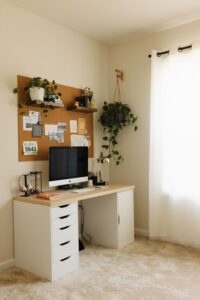
Tips for Creating a Productive Home Office Environment
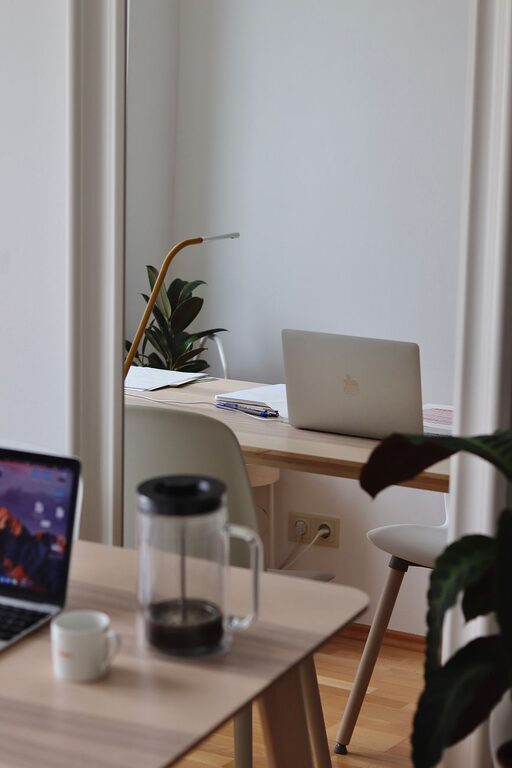
Creating a home office that promotes productivity can make a significant difference in your daily work experience. Whether you’re working remotely full-time or need a dedicated space for occasional tasks, setting up an environment that supports focus and comfort is key. In this post, we’ll share practical tips to help you design a home office that inspires productivity and well-being.
1. Choose the Right Location
Prioritize a Quiet Spot
Select a room or corner away from high-traffic areas in your home. A quieter space minimizes distractions, helping you stay focused on your tasks.
Consider Natural Light
If possible, set up your desk near a window. Natural light improves mood and energy levels throughout the day. Position your monitor to avoid glare while still benefiting from daylight.
2. Invest in Comfortable, Ergonomic Furniture
Desk and Chair Matter
Choose a desk with enough surface area for your computer, paperwork, and other essentials. An adjustable chair with good lumbar support encourages better posture, reducing fatigue and discomfort.
Ergonomics Are Essential
Proper alignment can prevent strain. Keep your feet flat on the floor, knees at a right angle, and your screen at eye level. Consider a footrest or an adjustable monitor stand if needed.
3. Organize Your Space for Efficiency
Declutter Regularly
A tidy workspace reduces mental distractions. Keep only the necessary items on your desk and store other materials in drawers or shelves.
Use Storage Solutions
Bins, file organizers, and shelves help keep supplies neat and accessible. Label containers to find what you need quickly.
4. Optimize Lighting
Combine Natural and Artificial Lighting
Complement natural light with soft, adjustable artificial sources, such as desk or floor lamps. Avoid harsh overhead lighting that can cause eye strain.
Use Task Lighting
A dedicated lamp aimed at your work area improves visibility, especially later in the day or in rooms with limited sunlight.
5. Minimize Noise and Distractions
Soundproof Your Space
Add rugs, curtains, or wall hangings to absorb noise. Noise-canceling headphones can be helpful for blocking out distractions.
Set Boundaries
If you live with family or roommates, communicate your work hours to reduce interruptions.
6. Personalize Your Workspace
Add Inspiring Elements
Include plants, artwork, or personal items that motivate you but don’t clutter your desk. A few small touches can enhance your mood and creativity.
Choose Calming Colors
Soft, neutral tones often create a soothing atmosphere conducive to focus.
7. Maintain a Healthy Routine
Take Regular Breaks
Schedule short breaks to stand, stretch, or move around. This practice helps maintain energy and prevents burnout.
Keep Hydrated and Nourished
Have water nearby and plan for regular meals to stay energized throughout the day.
8. Leverage Technology Wisely
Use Organizational Tools
Digital calendars, task managers, and timers can help keep you on track with deadlines and priorities.
Manage Cables
Organize cords with clips or sleeves to reduce clutter and avoid tangling.
9. Establish Clear Work-Life Boundaries
Define Office Hours
Set specific start and end times for your workday. This helps maintain a healthy balance between professional and personal life.
Create a Ritual to Start and End Your Day
Develop routines like a morning coffee at your desk or a quick tidy-up to signal when work begins and ends.
—
Designing a productive home office takes some thoughtful planning but it pays off in increased focus and comfort. By selecting the right location, investing in ergonomic furniture, and organizing your space effectively, you can create an environment that supports your best work. Remember to balance functionality with personalization and maintain healthy habits to ensure your home office remains a place of productivity and well-being.